3. Program, file and data structures
 Calling and controlling all BINGO components is performed from a higher order program: the BINGO manager. Without this program none of the BINGO programs can be run. The BINGO manager is started from an icon on the Desktop. All programs can be started from its menu and with the buttons on its interface. All BINGO components are linked to the BINGO manager and in some cases also return information to the BINGO manager which is then displayed in the Message Window.
. 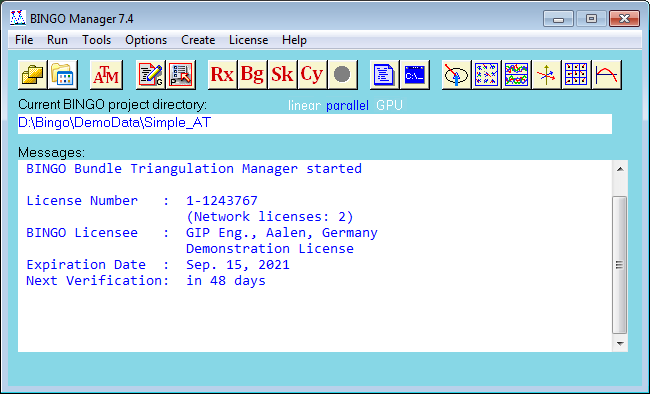
Fig. 3-1 BINGO-Manager
All BINGO programs save the parameter settings in dedicated .ini-files. In case several users are working with the same BINGO installation, it is recommended that each user can chose his own settings which are then saved for future use. For this purpose, the BINGO operator is located above the BINGO manager. This program can create several users. All user settings are then saved for each single user.
The BINGO manager shows the chosen name.
It is recommended to place an icon on the desktop also for the BINGO operator.