BINGO 7.0b - February 2018
This page describes BINGO as it existed at the stated release date. For current behavior and requirements, use the current Manual, Reference, and Guides.
General
This new Bingo release requires a modern workstation with 64-bit windows operating system and INTEL CPU which supports AVX (Advanced Vector Extensions).
All programs are now 64-bit versions. The only exception is GeoinEdi which cannot be transferred to a 64-bit version.
BINGO
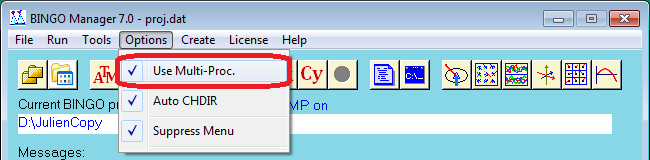
There is now only one Bingo executable in the \Bingo\bin\ directory: BingoMP. This program can perform single threaded and double threaded adjustments. It can use as well the full capability of the processor, if the multi-processor license is available.
The preferred version can be selected inside the Bingo Manager. Thus, comparison between single- and multi-threaded versions is possible.
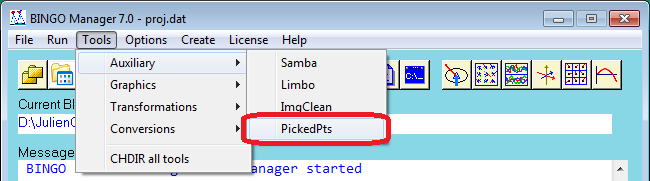
PickedPts
The program to pick points for Bingo graphics is available since many years. Following the wishes of customers it can now be started from the Bingo Manager.
Within Replo and 3dView points can be set inside the graphics areas with middle mouse click. Their coordinates will be transferred to the PickedPts window. Within Replo, 3dView, ImgView and GpsView the point and image IDs can be transferred to the PickedPts window using right mouse click.
If the picked point reader is started, only one of these graphical programs can be started at the same time. If you try to start any additional graphical program, it will wait in the background, until the prior program has been closed.
If the picked point reader is not started, all these data will be transferred to the BINGO Manager’s window.
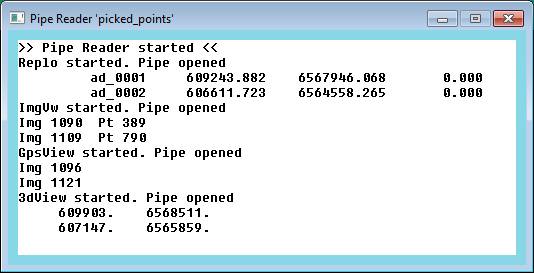
For details please see the help files of these programs. From this window all data can be transferred to other applications using copy and paste.