BINGO 5.5 - May 2008
This page describes BINGO as it existed at the stated release date. For current behavior and requirements, use the current Manual, Reference, and Guides.
Software Protection
This BINGO version is protected by a CodeMeter software protection key, not by a Hardlock key anymore. All old keys have to return to GIP .
Processing speed of BINGO has been enhanced once more again. Especially the inversion of the normal equation matrix has nearly double speed.
A format factor can be entered in the ADPA statement to enhance camera calibration. The sensor edged of cameras like DMC or UCX can be defined by a special input file.
Output of radial distortion values in bingo.lis has been enhanced for small format cameras.
All GUI colors have been changed to light petrol.
All tools have now a button to reset all values to their defaults.
ADPLO
ADPLO can now output common grid files and as well grid files in Z/I compatible format. The sensor edges of cameras like DMC or UCX will be displayed in the graphics window. ADPLO can now display distortions below 1 µm.
ROMA
ROMA has been enhanced with an offset for coordinates.
Default value for standard deviation for RANSAC error elimination has been changed from 1.0 to 2.0.
A complete new version of GeoinEdi has been released.
Details will be very soon provided in the updated BINGO 5.5 manual.
geoinEdi
This editor GUI program will be started from the BINGO Manager. It opens that geoin file automatically, which is defined in the BINGO parameters window, page ″Project″. Other files of this type might be selected and opened by menu.

Fig 1 Starting the geoinEdi program
How to use the geoinEdi program
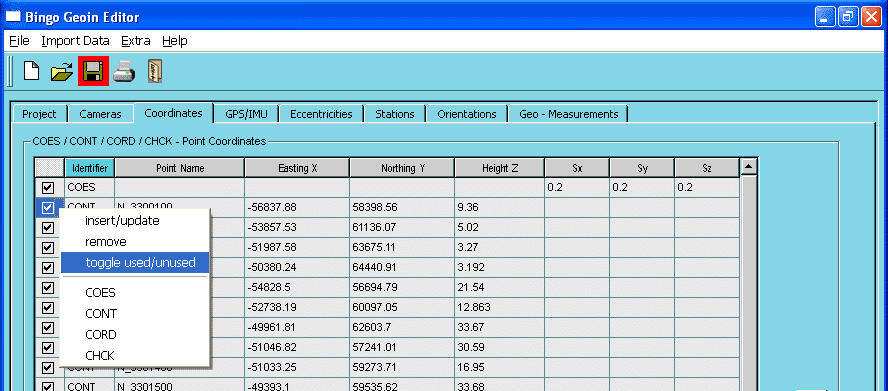
Fig 2 Adding new data lines
To add data in the list arrays e.g. on page ″Coordinates″, select the identifier – e.g. CONT – from the feature sensitive menu (right mouse click) and type the data into the fields. Point coordinates can be as well added using ″Import Data″ from the menu.
Select one ore more elements and use the feature sensitive menu, to change the identifier or to toggle the tick in the box to set lines active or inactive.
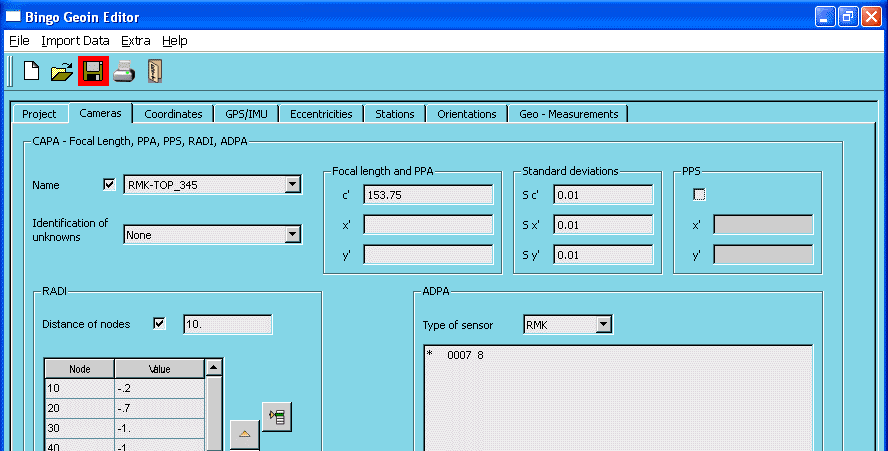
Fig 3 Camera data
An asterisk in position 1 in any ADPA line leads to an inactive output line. See Fig 3.
It is recommended to select "Type of sensor = RMK" for all aerial survey cameras with 230 mm x 230 mm image format if additional parameters are selected.
Data files in BINGO 4.0 format as provided from some older photogrammetric workstation versions can be read in and converted to the actual format using ″Extra″ and ″Read Bingo4 Format″ from the menu.
Ctrl+s saves all data to file. Ctrl+x saves data and exits the editor program.
Data editing is mainly self-explanatory and has to be done according to the detailed explanations in the BINGO manual.