BINGO 6.8 - February 2016
This page describes BINGO as it existed at the stated release date. For current behavior and requirements, use the current Manual, Reference, and Guides.
Batch process
The new introduced batch mode allows running Bingo programs unattended in the background. Several projects on different directories may be processed automatically in sequence.
The batch window can be started from Bingo manager´s menu:
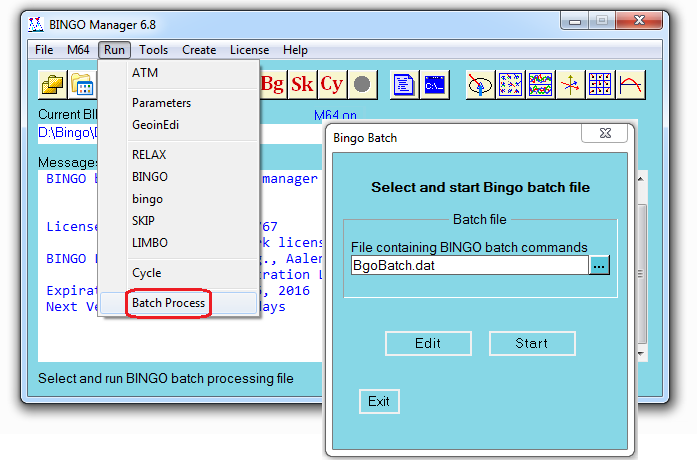
For batch processing a batch command file has to be created. This can be done from the batch window or from outside. The default name for the file is BgoBatch.dat. It might be located inside a project directory or anywhere else.
Change directory should always be the first command in the file. The following batch commands are available. Names in [ ] squared brackets are optionally:
CD      directory_name          change directory (first command)
COPY    file_name1   file_name2     to copy files
REN     file_name1   file_name2     to rename a file
Relax   [ project_file_name ]       to start RELAX
Bingo32     [ project_file_name ]       to start Bingo32
BingoM64    [ project_file_name ]       to start BingoM64 (if licensed)
Skip        [ project_file_name ]       to start Skip
Cycle                       to start Bingo and Skip in a cycle
Report      [ report_file_name ]        to create a Bingo pdf report file
Empty lines in the file are allowed. The input is not case-sensitive. Lines starting with
or * (hash or asterisk) in column one will not be processed. All activities of the batch job will be displayed in the Bingo manager´s message window. A "CD" command will change as well the current directory of the Bingo manager.
Example for a batch command file:

When using the CYCLE command, the BINGO program (BingoM64 or Bingo32) selected in the Bingo Manager will be started.
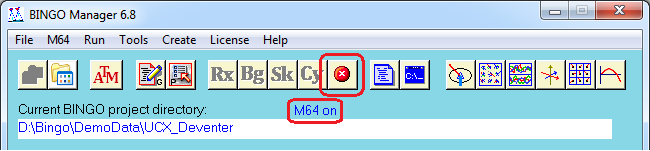
The ʺKill Buttonʺ in the Bingo manager kills the running program and the complete batch process.
Bingo
BingoM64 is no beta version anymore.
The sensor format of the UltraCam Eagle has been introduced into the program. It can be used in the ADPA statement as follows:
    ADPA   CameraID   ST=UCE  …..
or  ADPA   CameraID   ST=UCErota  …..
The graphics programs IMPLO and ADPLO will recognize this camera type as well.
Bingo Report file
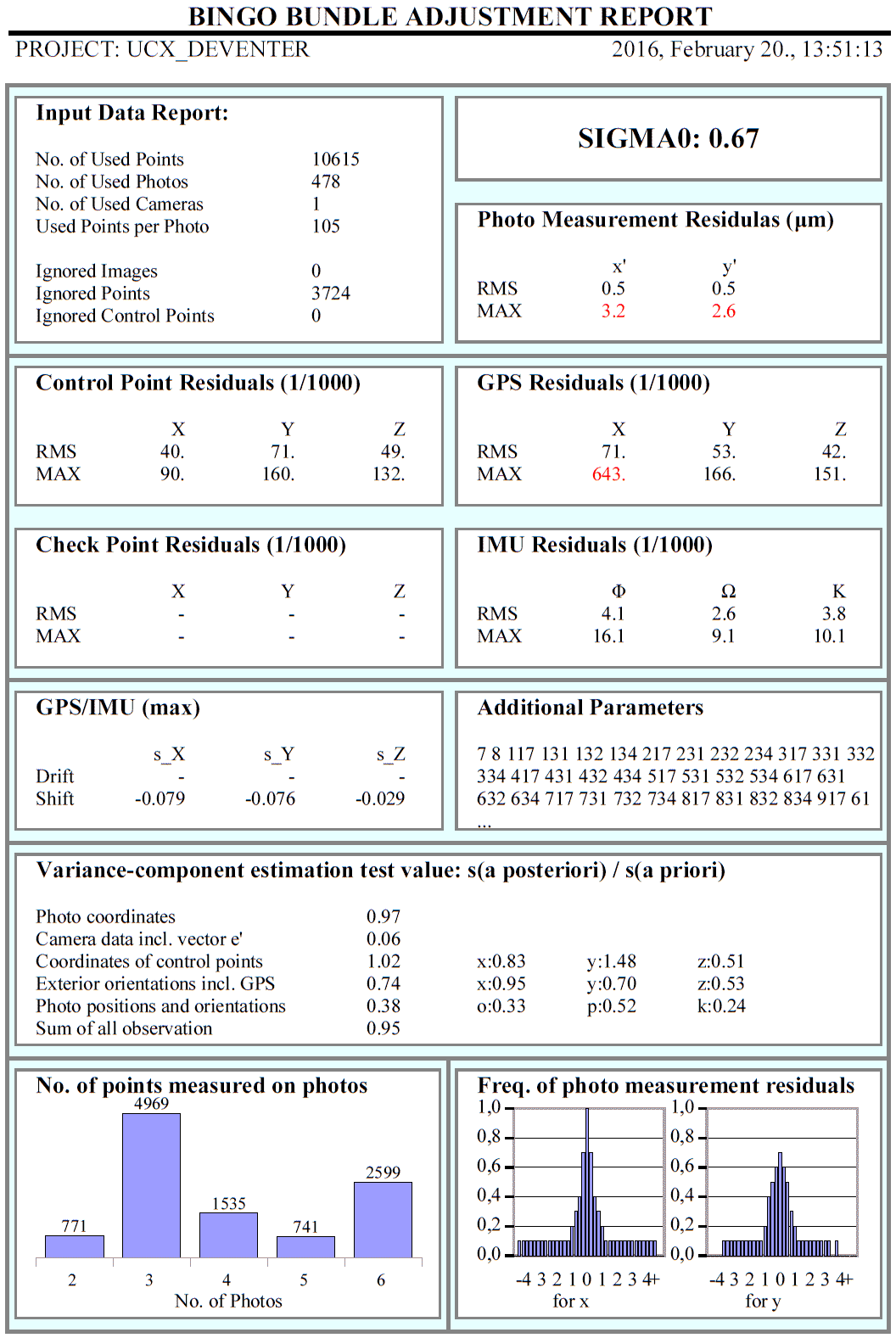
To present the most important results of the BINGO processing on one page, a pdf report file can be created as extract from the bingo.lis file.
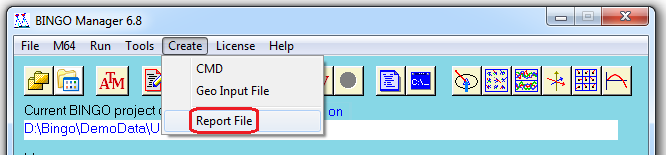
To create this file please use Create / Report File from the Bingo Manager´s menu. After processing the file will be opened in the Adobe Reader. The file name contains date and time and will be located in the current project directory. Example for the name: Report_2016.02.21_11.57.24.pdf
Example for a BINGO Report file:
Brown Parameters
On user request the so-called ʺBrown Parametersʺ K1 to K4 and P1 and P2 have been introduced to BINGO as new additional parameters.
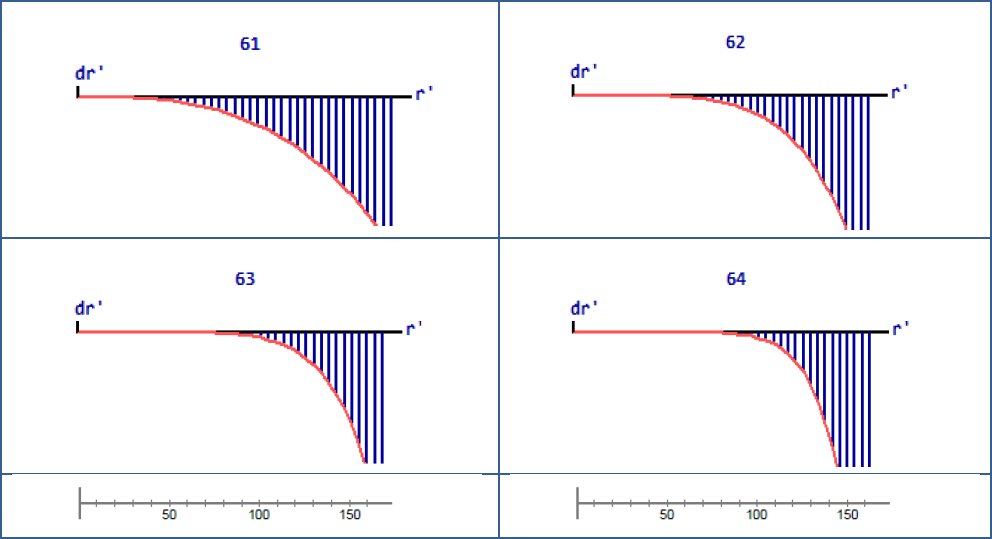
Radial symmetric parameters K1 to K4 according to Brown
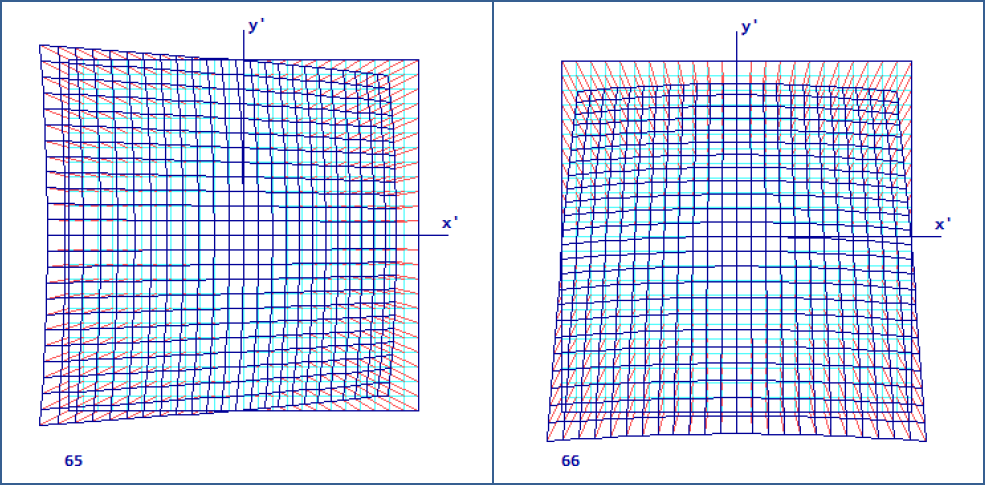
Decentering parameters P1 and P2 according to Brown
K1 to K4 correspondent with parameter numbers 61 to 64 in BINGO; P1 and P2 with 65 and 66.
The decentering Brown parameters may be helpful for camera calibration. The radial Brown parameters are highly correlated with each other and with the focal length. The radial BINGO parameters will probably in all cases provide better results.
3dView
A new feature has been introduced to catch names of points or images outside the project range, e.g. high in the air. The purpose is to get the point or image names into the Bingo Parameter window without typing the names of the suspect objects.
Holding the ʺxʺ button down and then moving the cursor (at least one pixel) a red square will pop-up. This square moves together with the mouse pointer, and all names of points and images inside the square will pop up. The size of the red square is fix, however, the zoom function for the graphics can adjust the covered range.
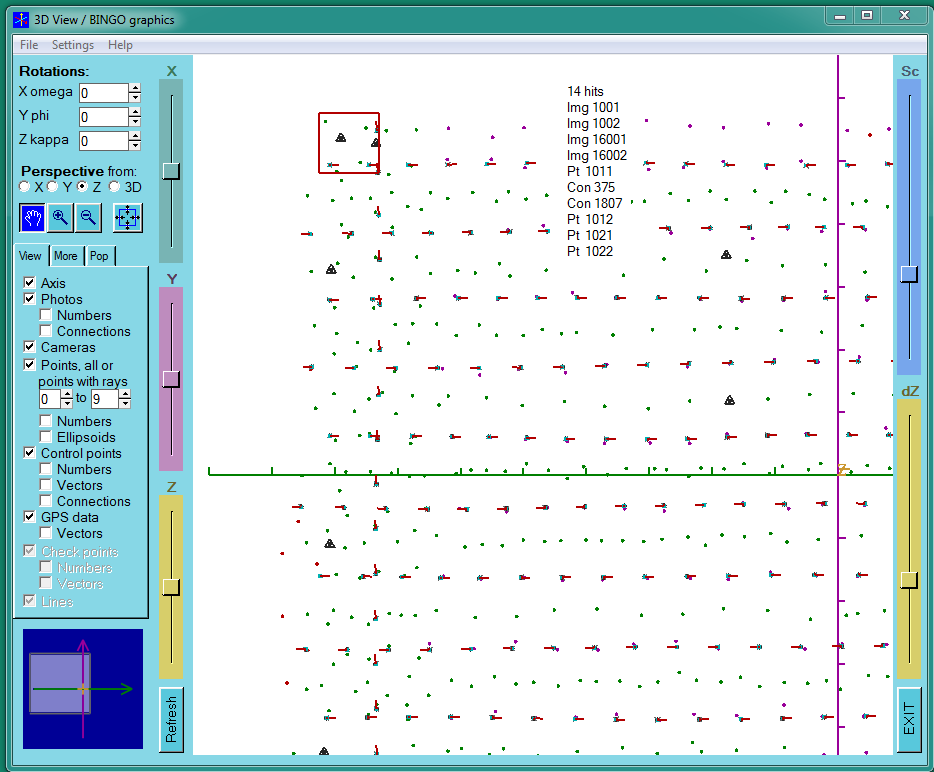
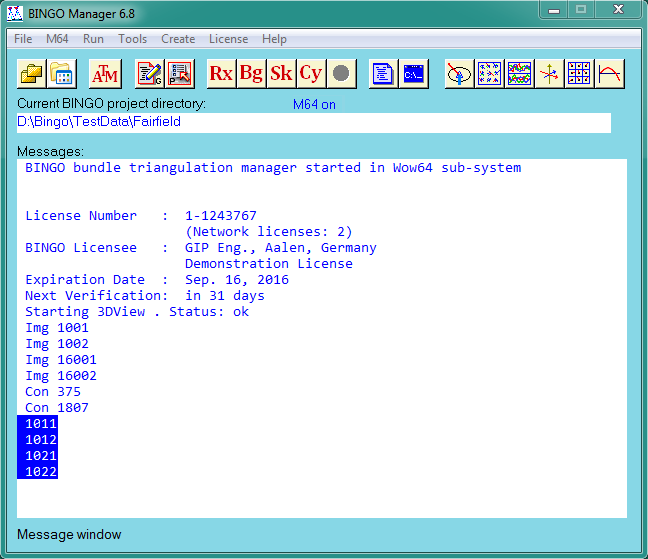
Pushing the right mouse button, all selected names will be copied the Bingo Manager´s message window. There they can be highlighted with the mouse and copied using ʺctrl+cʺ to the paste buffer. From the buffer, names can be copied using ʺctrl+vʺ to the parameter window.
The names are sorted, and the points have no ʺPtʺ header.
BgExport
On user request, the size of grid files produced by BgExport has been extended by one grid cell in each direction.